# Smart Payment Links

AstraPay's **Smart Payment Links** allow merchants, businesses, and service providers to request and receive crypto payments with a single, sharable link — no technical setup required.

#### ✅ How it works:

1. **Merchant Creates a Payment Link**\
   Set the amount, currency (e.g. USDT), and network (e.g. ERC20). Add optional fields like name, shipping address, phone number, or custom instructions.
2. **Customer Clicks the Link**\
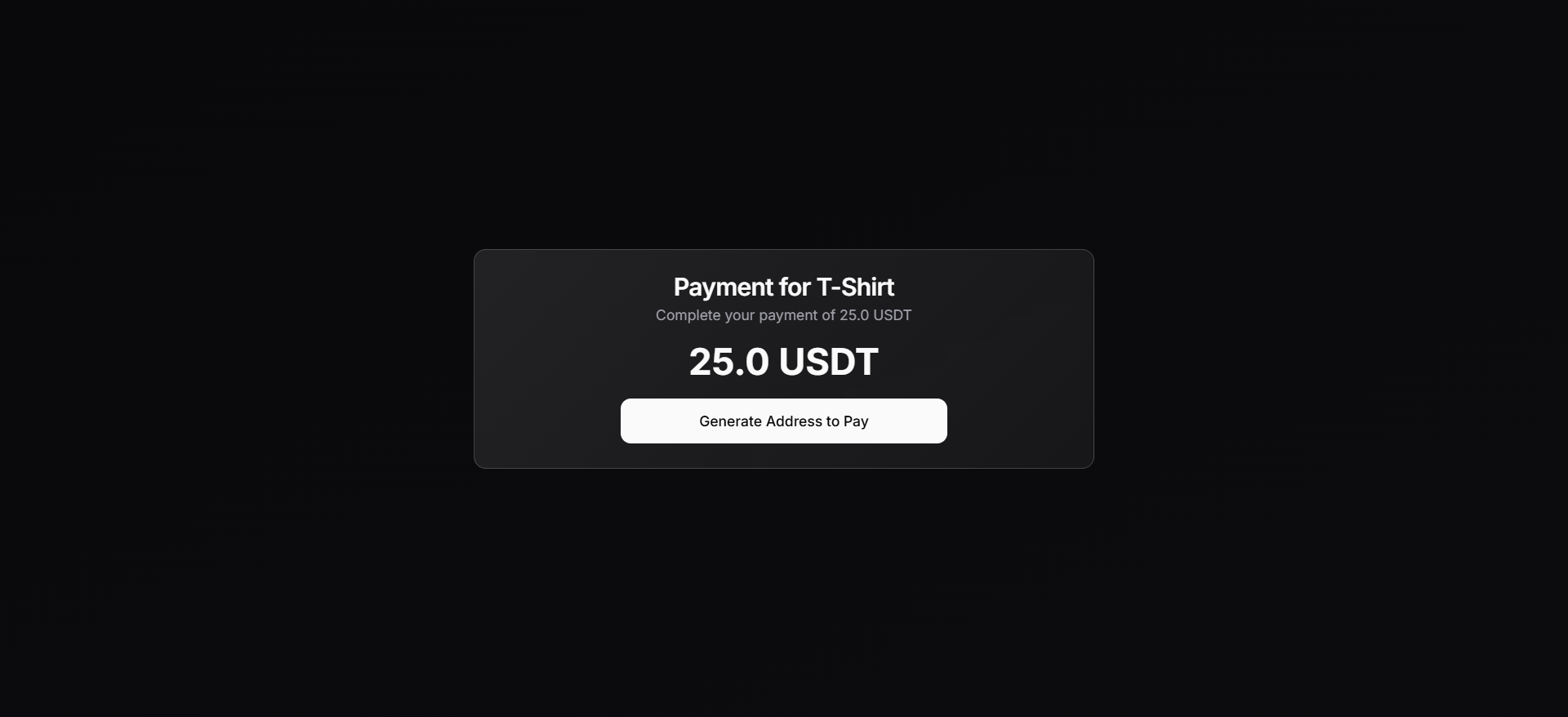
   A clean, trust-inspiring payment page opens, showing the product/service name, amount, timer, and a unique wallet address or QR code.
3. **Customer Sends the Payment**\
   They pay the exact amount directly on-chain (e.g. 25.0 USDT), and the system tracks the confirmation live.
4. **Payment Confirmed**\
   Once received, the order is marked as complete. The merchant receives the funds directly — no third party or intermediary needed.

<figure><img src="/files/aBbN7FMoWHzIMELWEuUv" alt=""><figcaption><p>Adding Payment Details (As a Merchant)</p></figcaption></figure>

<figure><img src="/files/2SqcAMPpUPCglaSrnXJJ" alt=""><figcaption><p>Adding Product Details (As a Merchant)</p></figcaption></figure>

🔐 Built-in Features:

* **DeFi Native** – Direct wallet-to-wallet transfers. No middlemen.
* **Timer** – Countdown to track payment window (e.g., 1 hour).
* **Verification Code** – Ensures each payment session is unique and verifiable.
* **Status Tracker** – View how much has been received in real-time.
* **Input Form (Optional)** – Collect shipping info, phone number, or special instructions.
* **Fail-Safe UI** – Customers see what to do if they underpay or overpay.

<figure><img src="/files/bJMr7tr51lBNE7OnIWez" alt=""><figcaption><p>Payment Link when Information is NOT required (As Customer)</p></figcaption></figure>

<figure><img src="/files/tvFGmmCI67tR2lt0jjrs" alt=""><figcaption><p>Payment Link when Information IS required (As Customer)</p></figcaption></figure>

<figure><img src="/files/5K6Eajayo6pqd5fGE1bw" alt=""><figcaption><p>Extra page IF information is REQUIRED to collect customer's information (As Customer)</p></figcaption></figure>

<figure><img src="/files/Rfv8M55ja8n9yoRg9a2y" alt=""><figcaption><p>Smart Payment Link with Address &#x26; QR code is generated for customer (As Customer)</p></figcaption></figure>

<figure><img src="/files/RJpF50xYekbP01dmAWOj" alt=""><figcaption><p>Successfully Paid | Customer can see payment information &#x26; download receipt (As Customer)</p></figcaption></figure>

🛒 Example Use Cases:

* Selling digital or physical products (e.g. T-Shirts, PDFs, event tickets)
* Invoice links for freelancers and agencies
* Subscription or donation links
* Paywall access for gated content&#x20;
* B2B settlements or service payments

#### 🧩 Why it’s powerful:

* **No website required** – Anyone can sell directly through AstraPay’s platform using Smart Links. Perfect for freelancers, creators, or new businesses.
* **Optional integration** – For advanced users, AstraPay provides full **API and SDK access**, allowing merchants to:
  * Accept crypto directly on their own websites
  * Automatically generate custom links for any amount a customer wants to pay
  * Redirect users to a pre-filled checkout page for seamless payments

#### 📊 Tracking & Monitoring of Payment Links

All Smart Payment Links created through:

* 🔹 The **AstraPay Dashboard**
* 🔹 **Generated Invoices**
* 🔹 Or via external tools using our **API/SDK**

<mark style="color:orange;">**…can be tracked in one unified place.**</mark>**&#x20;"Links"**

<figure><img src="/files/3wFGXLbgTaDrupQTMbQX" alt=""><figcaption><p>Overview of the "Links" page for monitoring purposes (As a Merchant)</p></figcaption></figure>

🧾 Transaction History

In the **Transaction History** tab, users can access:

* ✅ Full payment records
* 👤 Customer information (<mark style="color:red;">Any information required</mark> <mark style="color:red;"></mark><mark style="color:red;">**by Merchant**</mark> <mark style="color:red;"></mark><mark style="color:red;">from customer</mark>)
* 🧮 Amounts paid, currencies, and time of transaction
* 📍 Source of payment&#x20;

This gives users a powerful tool to manage their sales, subscriptions, and customers — whether payments happen inside AstraPay or via external platforms.

<figure><img src="/files/o0hy4v9Wu5nU6ZoscAko" alt=""><figcaption><p>Overview of the "Transaction History" page for monitoring purposes (As a Merchant)</p></figcaption></figure>

Whether you're just starting or already running an online store, Smart Payment Links give you ultimate flexibility and control.


---

# Agent Instructions: Querying This Documentation

If you need additional information that is not directly available in this page, you can query the documentation dynamically by asking a question.

Perform an HTTP GET request on the current page URL with the `ask` query parameter:

```
GET https://docs.chatastra.ai/astrapay/features/smart-payment-links.md?ask=<question>
```

The question should be specific, self-contained, and written in natural language.
The response will contain a direct answer to the question and relevant excerpts and sources from the documentation.

Use this mechanism when the answer is not explicitly present in the current page, you need clarification or additional context, or you want to retrieve related documentation sections.